Page 22 of 32
Re: TOS 6.0.530 Official Version Released
Posted: 31 Jan 2025, 08:39
by galni
It seems that Plex Server got disconnected after I upgraded F5-221 to TOS 6.0.530. I tried many ways (installing latest version of Plex Media Server for TOS 5, TOS 6 is not available yet from Plex download homepage) but it seems I cannot reclaim this Plex server...
Re: TOS 6.0.530 Official Version Released
Posted: 31 Jan 2025, 09:06
by TMjack
We deeply apologize for any inconvenience caused to your usage. After upgrading the TOS system to TOS 6, you will need to reconfigure the permission settings for PLEX. Please refer to the following link for guidance on how to proceed.
viewtopic.php?t=7296
Re: TOS 6.0.530 Official Version Released
Posted: 31 Jan 2025, 11:27
by galni
TMjack wrote: ↑31 Jan 2025, 09:06
We deeply apologize for any inconvenience caused to your usage. After upgrading the TOS system to TOS 6, you will need to reconfigure the permission settings for PLEX. Please refer to the following link for guidance on how to proceed.
viewtopic.php?t=7296
I tried following the guide you sent here and double check the permission settings for Plex, but it seems that issue is still there. It just got stuck with "Claim server", spinning a bit then nothing happened.

Re: TOS 6.0.530 Official Version Released
Posted: 01 Feb 2025, 06:52
by Lexbox
F2-421, F5-421, F2-422, F4-422, F5-422 USERS ON THE OLDER BIOS YOU ARE GOING TO WANT TO READ THIS: Terra Master do have the bios update you need to be able to install TOS 6. Follow the instructions by the letter and you SHOULD be able to update your bios to MAPL0304V22 and go on and install TOS 6 thereafter. Caveat: If you are not confident in flashing a BIOS, just stay where you are on TOS 5.1, there is always a risk when flashing anything. For those of you that are comfortable with the risk, read on.
Firstly, make sure you are on the correct TOS versions supported for this upgrade listed in the 1st post. Plus your system HAS to have an HDMI out.
Next, download the MAPL0304V22 bios zip file at
https://download2.terra-master.com/MAPL0304V22.zip Have a USB stick formatted to FAT32 to hand. Follow the instructions on the word doc in the zip file. After you have finished following all instructions, go back into the bios and go to Southbridge settings in the chipset tab and change the OS selection to Intel Linux. Save and exit. All being well the new bios image will boot up into your current TOS.
All you need to do now is download the TOS 6 image in post 1 and follow the instructions. Once rebooted you have TOS 6 installed!
OTA updated will now also be available to download!
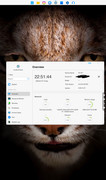
First F2-421 in the world running latest TOS 6.0.610

Re: TOS 6.0.530 Official Version Released
Posted: 01 Feb 2025, 07:07
by Lexbox
eulero wrote: ↑22 Jan 2025, 07:23
TMtina wrote: ↑19 Jan 2025, 18:22
eulero wrote: ↑18 Jan 2025, 21:29
It is clear since the first message of this thread. No need to rewrite, thanks.
We apologize, but as stated clearly in our update instructions, due to hardware limitations, certain models of NAS are not supported for upgrading to TOS 6.0.530, and your NAS model is among them.
As stated in my messagges it is shameful, I have bought an F2-422 as the others, and the limitations was not declared by you on my hardware.
Read my post

Re: TOS 6.0.530 Official Version Released
Posted: 01 Feb 2025, 08:14
by Lexbox
Re: TOS 6.0.530 Official Version Released
Posted: 01 Feb 2025, 09:40
by galni
galni wrote: ↑31 Jan 2025, 11:27
TMjack wrote: ↑31 Jan 2025, 09:06
We deeply apologize for any inconvenience caused to your usage. After upgrading the TOS system to TOS 6, you will need to reconfigure the permission settings for PLEX. Please refer to the following link for guidance on how to proceed.
viewtopic.php?t=7296
I tried following the guide you sent here and double check the permission settings for Plex, but it seems that issue is still there. It just got stuck with "Claim server", spinning a bit then nothing happened.
I already fixed my Plex "Claim server" issue. The root cause is from WAN disconnected after upgrading to TOS 6.0.530. The solution is here:
viewtopic.php?t=5939
Re: TOS 6.0.530 Official Version Released
Posted: 01 Feb 2025, 10:35
by JSequeira
Hello,
Device; F4-223
OS: TOS 5.1.145-00320
BIOS: 5.19
I download the update, it uploads ok to TM and then it says `failed to update`.
What can I do?
Re: TOS 6.0.530 Official Version Released
Posted: 02 Feb 2025, 01:06
by T2Consulting
Lexbox wrote: ↑01 Feb 2025, 06:52
F2-421, F5-421, F2-422, F4-422, F5-422 USERS ON THE OLDER BIOS YOU ARE GOING TO WANT TO READ THIS: Terra Master do have the bios update you need to be able to install TOS 6. Follow the instructions by the letter and you SHOULD be able to update your bios to MAPL0304V22 and go on and install TOS 6 thereafter. Caveat: If you are not confident in flashing a BIOS, just stay where you are on TOS 5.1, there is always a risk when flashing anything. For those of you that are comfortable with the risk, read on.
Firstly, make sure you are on the correct TOS versions supported for this upgrade listed in the 1st post. Plus your system HAS to have an HDMI out.
Next, download the MAPL0304V22 bios zip file at
https://download2.terra-master.com/MAPL0304V22.zip Have a USB stick formatted to FAT32 to hand. Follow the instructions on the word doc in the zip file. After you have finished following all instructions, go back into the bios and go to Southbridge settings in the chipset tab and change the OS selection to Intel Linux. Save and exit. All being well the new bios image will boot up into your current TOS.
All you need to do now is download the TOS 6 image in post 1 and follow the instructions. Once rebooted you have TOS 6 installed!
OTA updated will now also be available to download!
First F2-421 in the world running latest TOS 6.0.610
My F4-422 runs TOS 5.1.145 with BIOS MAPL0301V14 and does not have hdmi port. How can i follow instructions without a monitor? Thanks!
Re: TOS 6.0.530 Official Version Released
Posted: 02 Feb 2025, 01:22
by Gremlin
There might be a connector inside you can take advantage of, or USB-HDMI, USB-VGA adapters exist, so possibly?. Sorry, but I don't know the specs or capabilities of your device off hand.
