Page 21 of 31
Re: TOS 6.0.420 Beta Is Available for Testing
Posted: 16 Aug 2024, 19:30
by Tricky
TMnick wrote: ↑16 Aug 2024, 09:04
Tricky wrote: ↑15 Aug 2024, 21:40
On 6.0.229 and been trying to update to 6.0.420 but it continually fails, it either says failed or does nothing, downloaded it multiple times and have tried from the laptop and from the onboard drive with the same result.
Hello, could you please confirm if your TNAS model meets the update requirements? If it does meet the requirements, please contact the official website's customer service to schedule a technical engineer to assist you remotely.
As I am already running TOS6.0 I think my NAS is capable, I just cant update and the app page thinks there is no web connection but there is, however, I am not keen on remote support due to not having much luck previously so was hoping someone here might have an idea what is causing this, guess it going to be a complete reinstall yet again to try and fix it!
Re: TOS 6.0.420 Beta Is Available for Testing
Posted: 16 Aug 2024, 20:44
by Gremlin
Don't count on re-install being much help at the moment. I just did a fresh install of 5.1.145 (which was ok) and then upgrade to TOS6.0.420 and then to 6.0.436. At the moment I have been unable to install any apps and have noted (as posted earlier) possible issues regarding USP configuration.
Unfortunately I could not find a copy of the earlier Tos6.0. (220?), but I have that installed on another set of disks if I want to go that way again. Unfortunately that would mean another USB exchange (to be consistent) which, while not a problem now, is just inconvenient. I would imagine that developers are currently putting all their effort into correcting issues they know about in 420/436 to even contemplate new issues being thrown up via this and associated threads.


Re: TOS 6.0.420 Beta Is Available for Testing
Posted: 16 Aug 2024, 22:01
by Tricky
Gremlin wrote: ↑16 Aug 2024, 20:44
Don't count on re-install being much help at the moment. I just did a fresh install of 5.1.145 (which was ok) and then upgrade to TOS6.0.420 and then to 6.0.436. At the moment I have been unable to install any apps and have noted (as posted earlier) possible issues regarding USP configuration.
Unfortunately I could not find a copy of the earlier Tos6.0. (220?), but I have that installed on another set of disks if I want to go that way again. Unfortunately that would mean another USB exchange (to be consistent) which, while not a problem now, is just inconvenient. I would imagine that developers are currently putting all their effort into correcting issues they know about in 420/436 to even contemplate new issues being thrown up via this and associated threads.
You're right its probably best to hold off until it gets sorted in another update, just cant figure out why the apps are suddenly a problem all the original apps are there and working its just suddenly stopped being able to download more.
Re: TOS 6.0.420 Beta Is Available for Testing
Posted: 16 Aug 2024, 23:15
by Gremlin
Tricky wrote: ↑16 Aug 2024, 22:01
its just suddenly stopped being able to download more.
Actually, that's a nice confirmation for me. Saves wasting time looking for that non-existent solution. Just wish @TM were a little more forthcoming in confirming what is being discovered.
Re: TOS 6.0.420 Beta Is Available for Testing
Posted: 16 Aug 2024, 23:20
by thierrys73
TMroy wrote: ↑16 Aug 2024, 12:28
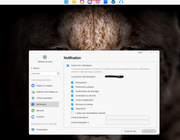
Use this menu to set desktop message notifications only. To configure email notifications, go to 'Control Panel > General Settings > Notifications'.
Hello ok
i understand but in the menu notification it is the same
Re: TOS 6.0.420 Beta Is Available for Testing
Posted: 17 Aug 2024, 02:54
by spamdz12o
Just got a new 423. Installed drives and updated to TOS 6.
Everything seemed to work perfectly... but then I began playing. Copz a lot of data to Volume1, 100% cpu for ages and system unresponsive. Plex scanning something? 100% cpu random moments during the day? 100% cpu, SMART testing HDDs, 100% cpu.
Is this normal? Also, I cannot limit the CPU usage of containers, so there is nothing I can do to mitigate it.... is there?
(I have 3 disks, 1x8 teras, 2x4 teras and 8 gigas of RAM, it should freaking fly, but...)
Any help avaliable?
Re: TOS 6.0.420 Beta Is Available for Testing
Posted: 17 Aug 2024, 05:14
by Gremlin
spamdz12o wrote: ↑17 Aug 2024, 02:54
Any help avaliable?
As you would know, TOS6 is still in Beta and should be thought of as "fragile" at the moment. Read all of the TOS6 threads.
If you set up any sort of raid array and have only just installed, the array(s) could still syncing. Which version did you start with before updating to 6.0.???
Re: TOS 6.0.420 Beta Is Available for Testing
Posted: 17 Aug 2024, 11:34
by RyanYang
spamdz12o wrote: ↑17 Aug 2024, 02:54
Just got a new 423. Installed drives and updated to TOS 6.
Everything seemed to work perfectly... but then I began playing. Copz a lot of data to Volume1, 100% cpu for ages and system unresponsive. Plex scanning something? 100% cpu random moments during the day? 100% cpu, SMART testing HDDs, 100% cpu.
Is this normal? Also, I cannot limit the CPU usage of containers, so there is nothing I can do to mitigate it.... is there?
(I have 3 disks, 1x8 teras, 2x4 teras and 8 gigas of RAM, it should freaking fly, but...)
Any help avaliable?
How do you transfer files? You can go to the process module of the control panel to see which processes are using a lot of CPU.
Re: TOS 6.0.420 Beta Is Available for Testing
Posted: 17 Aug 2024, 14:39
by baf28
I encountered this problem: I can't manually set the IP address on LAN2. When I try to do this, the system writes wait and nothing happens for an hour. I'm refreshing the page and there are no changes.
TOS 6.0.436
Re: TOS 6.0.420 Beta Is Available for Testing
Posted: 17 Aug 2024, 17:40
by TMtina
baf28 wrote: ↑17 Aug 2024, 14:39
I encountered this problem: I can't manually set the IP address on LAN2. When I try to do this, the system writes wait and nothing happens for an hour. I'm refreshing the page and there are no changes.
TOS 6.0.436
What is your network configuration like? How many LANs are currently connected, and are the other LANs able to modify IP addresses normally? Additionally, please check if the NAS's network connection status is normal.