Re: After upgrading to TOS 7, it returns to the installation page, or prompts for a failed kernel version load when logg
Posted: 21 Oct 2026, 20:50
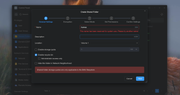
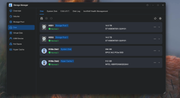
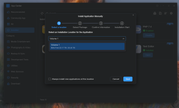
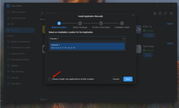
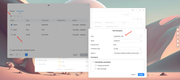
I spent an hour on Teamviewer yesterday with them, and none of the options they tried worked. The files are are in a folder under homes directory and have been since TOS 5. TOS 7 will not allow a shared folder under homes directory and says the folder is reserved for system. Moving the folder that has been shared for over a year in this location to the root of the drive allows access from Plex to the folder. And support also confirmed that the app center removed the ability to manually update apps. I figured out a work around for that last night TOS 7 can not be booted without the hard drives installed and system is installed to an SSD and shows that in TOS 7. There are so many issues with this update. Here is a screenshot of what happens if you try to share the folder on the hard drives as well as a screenshot showing where system is installed but yet can't boot without the storage drives installed now. System has been the SSD since TOS 5. The ability to boot without hard drives installed has worked since TOS 5 until update to TOS 7 yesterday. Manual installation of apps must be done to storage drives now where the option was not even offered before.EriChan wrote: ↑21 Oct 2026, 18:14This situation may involve multiple factors. Please contact our online support team via the link below so we can assist you with direct troubleshooting: https://salesiq.zohopublic.com/signatur ... 97d0be8892