Page 3 of 3
Re: How to Add Disks to an Array, Migrate Arrays, or Expand an Array Online?
Posted: 21 Apr 2026, 18:06
by CursaYang
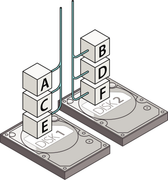
In single-disk mode, a single-disk JBOD is essentially the same as having one hard drive; RAID 0 requires at least two hard drives. In RAID 0, data is striped across multiple disks, meaning that the data on an individual disk is incomplete and cannot be extracted to become an "independently readable" JBOD disk. It might be a better idea to provide some explanations on the initialization page.
Re: How to Add Disks to an Array, Migrate Arrays, or Expand an Array Online?
Posted: 21 Apr 2026, 22:22
by sianderson
Gremlin wrote: ↑21 Apr 2026, 17:16
Quite often I believe that users (particularly those new to TM/TOS) will allow the system to build the default TRAID array(s) - knowingly or otherwise

.
Maybe some consideration should be given to providing a direct mechanism to:
1) Convert single disk Traid to JBOD or RAID-0
while not new to TM/TOS, if you only have 1 drive you have no choice but to set it up as a single disk

i did not think i would need 10tb of storage 6 years ago
so yes i found myself in this situation of wanting to do your first point, i only need 1 extra TB to cover the increased data usage so now its time to expand the storage capacity of the nas drive which now seems troublesome
thankfully its the F2-210 thats only used for backup purposes so i could wipe the hard drive and set it up with with an array and then let it transfer the 6tb of data back over the network again
i havent done this yet as i set it up as a second single disk but would prefer it as one partition due to now having about 10 different backup tasks each pinging emails as my main nas drive has a 6tb hard drive in it so one partition then having to split it out to different remote shares),
but what if this was my main NAS drive, the only suggestion seems to be to destory all data on the drive so where would i put it (yes i know you should have backups)
it seems crazy with the idea of raid arrays for data protection that there is no mechanism to convert a single disk to a raid array without destorying data especially when you are in theory just expanding the storage capacity of the drive i.e 5tb + 2tb = 7tb i dont fully understand why it cant just leave the 5tb data alone
Re: How to Add Disks to an Array, Migrate Arrays, or Expand an Array Online?
Posted: 22 Apr 2026, 14:55
by CursaYang
The data distribution method of RAID 0 is completely different from that of a single disk. It is not simply a matter of "adding another disk to increase the space"; rather, it involves re-slicing and rewriting the existing data across two disks. Without the use of additional space, there is no safe landing point for this process.
Re: How to Add Disks to an Array, Migrate Arrays, or Expand an Array Online?
Posted: 03 May 2026, 16:30
by sianderson
thank you all for the info, i did indeed wipe the setup and set up a 7tb pool as described and then transfered all the data back over to it, just rather annoying that i couldnt have kept the data intact but it is what it is and is working without me needing to spend a small fortune on a 6tb hard drive to gain that extra storage space for my EOL device
Re: How to Add Disks to an Array, Migrate Arrays, or Expand an Array Online?
Posted: 14 Jul 2026, 09:33
by polen
Hey TNAS community, I'm running TOS 7.0.0777 and I’m looking to migrate a storage pool. I currently have a TRIAD array with two 500GB SSDs, and I want to switch over to two 2TB NVMe drives that are already installed. What's the best procedure for safely transferring the data and rebuilding the pool on these new NVMe drives without risking data loss? Any quirks or things to watch out for in this latest version?
Re: How to Add Disks to an Array, Migrate Arrays, or Expand an Array Online?
Posted: 15 Jul 2026, 16:57
by Felix
polen wrote: ↑14 Jul 2026, 09:33
Hey TNAS community, I'm running TOS 7.0.0777 and I’m looking to migrate a storage pool. I currently have a TRIAD array with two 500GB SSDs, and I want to switch over to two 2TB NVMe drives that are already installed. What's the best procedure for safely transferring the data and rebuilding the pool on these new NVMe drives without risking data loss? Any quirks or things to watch out for in this latest version?
The recommended method is to first create a new storage pool and volume using the new NVMe drives.
After the new volume is created, you can migrate your shared folders by going to:
Control Panel → Shared Folder → Edit
Then change the storage location of the shared folder to the newly created volume.
Other data, such as application data, will need to be migrated manually.
Before starting the migration, please make sure you have a complete backup of your important data to prevent any unexpected data loss during the process.