Scirocco wrote: ↑31 Jul 2026, 05:21
I also had no success installing TOS 7 on my F-423. Installation stucks somewhere, since nothing happens after hours.
I then tried to install on a M2-SSD without harddisks. Installation of TOS 6.0.0794 on the M2-SSD was succesful but the following upgrade to TOS 7 failed in the same way. I have been reading in this board, that a TOS 7 boot image is available, would be nice if you could provide this to me as well.
The upgrade procedure and associated precautions for migrating from TOS 6 to TOS 7 are outlined on the initial page of this thread.
If you'd rather do a fresh install of TOS 7, you'll need the dedicated TOS 7 USB boot image, please refer to this: viewtopic.php?t=6433
To contact our team, please send email to following addresses, remember to replace (at) with @:
Technical team: support(at)terra-master.com (for technical support)
Service team: service(at)terra-master.com (for purchasing, return, replacement, RMA service)
Could you provide a screenshot showing exactly where the update is stuck?
To contact our team, please send email to following addresses, remember to replace (at) with @:
Support team: support(at)terra-master.com (for technical support only)
Service team: service(at)terra-master.com (for purchasing, return, replacement, RMA service)
Two days ago, I reinstalled the NAS (F4-424 Max). This time, I only installed the two (system) NVMe drives in RAID 1 with the current OS 7.0.0804. For the first 24 hours, I didn't install any Docker or similar programs, only the necessary apps from the Terra-Master Store. After 24 hours, I completely restarted the NAS to see if it would initiate a new setup. Since the (system) NVMe drives are accessed directly at startup, it starts normally.
Unfortunately, Jellyfin doesn't work natively as an app. After installation and launch, nothing happens when I click on it, and there's no error message.
It runs perfectly fine as a Docker container, and my newly installed PaperlessNGX also runs (almost) perfectly in Docker. However, as soon as I try to mount to folders I've specifically created and selected, the PostgreSQL Docker container fails because it doesn't have sufficient permissions, even though the permissions are correctly set in the YAML file.
The only thing that doesn't work natively is Jellyfin. This weekend I plan to reconfigure the four HDDs in RAID 1 and restore the previously recovered and backed-up data. I hope the NAS doesn't crash completely again, resulting in the loss of all the data and days of work.
Thanks again to the support team for the quick responses here in the forum.
NAS: f4-424 MAX | 64GB RAM Corsair Vengeance DDR5-4800 | 2x1TB Lexar NM790 | 2 x 4 TB + 2x 6TB Seagate IronWolf Raid1 |(Currently in (re)learning mode)
Scirocco wrote: ↑31 Jul 2026, 05:21
I also had no success installing TOS 7 on my F-423. Installation stucks somewhere, since nothing happens after hours.
I then tried to install on a M2-SSD without harddisks. Installation of TOS 6.0.0794 on the M2-SSD was succesful but the following upgrade to TOS 7 failed in the same way. I have been reading in this board, that a TOS 7 boot image is available, would be nice if you could provide this to me as well.
The upgrade procedure and associated precautions for migrating from TOS 6 to TOS 7 are outlined on the initial page of this thread.
If you'd rather do a fresh install of TOS 7, you'll need the dedicated TOS 7 USB boot image, please refer to this: viewtopic.php?t=6433
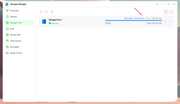
I upgraded my F4-424 Max. About a year ago I set it up with 2-NVMe drives, one being for the OS and I thought the other was for cache, but it was confusing. After the upgrade to TOS 7 its clear the second NVMe is in it's own Storage Pool 2 and the rest of the hard drives are in Storage Pool 1. I'd like to move the second NVMe to Hyper Cache but I'd have to remove it from the pool first. Is there any way to tell if that pool is being used? Can I just remove it?
Blain5700 wrote: ↑01 Aug 2026, 04:50
I upgraded my F4-424 Max. About a year ago I set it up with 2-NVMe drives, one being for the OS and I thought the other was for cache, but it was confusing. After the upgrade to TOS 7 its clear the second NVMe is in it's own Storage Pool 2 and the rest of the hard drives are in Storage Pool 1. I'd like to move the second NVMe to Hyper Cache but I'd have to remove it from the pool first. Is there any way to tell if that pool is being used? Can I just remove it?
You can check whether the capacity of Storage Pool 2 has been allocated to a volume; if not, you can delete the storage pool and use it for Hyper Cache.
To contact our team, please send email to following addresses, remember to replace (at) with @
There doesn't appear to be any data stored on Volume 2. You can check whether any shared folders are assigned to Volume 2 under Control Panel > Privileges > Shared Folder. If none exist, you can delete Volume 2 and Storage Pool 2, then add the NVMe drive to Volume 1 as Hyper Cache.
To contact our team, please send email to following addresses, remember to replace (at) with @:
Support team: support(at)terra-master.com (for technical support only)
Service team: service(at)terra-master.com (for purchasing, return, replacement, RMA service)