Page 2 of 3
Re: [Help] Filesystem Snapshot
Posted: 28 Feb 2026, 06:25
by Gremlin
FYI; today is day 7 of my new 7 day schedule and I have seven completed snapshots (Filesystem, not app) on each Volume. I guess the trick will be if I have a new, seventh snapshot tomorrow night.

Re: [Help] Filesystem Snapshot
Posted: 28 Feb 2026, 22:32
by rfbjr
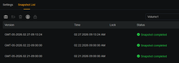
So today's snap did not run on either NAS. So I manually deleted the 21st&22nd snaps on both NAS.
Tomorrow I'll see if the March 1st snap is created.
Seems to me that once a day is skipped the purge oldest (in my case 3) fails to run and the new snap isn't created/run.
Re: [Help] Filesystem Snapshot
Posted: 01 Mar 2026, 09:06
by Gremlin
Day 8: I only have the same seven snapshots as last night. The oldest has not been deleted and today's snapshots did not run (apparently). There seems to be an issue...... I have manually deleted the oldest snapshots (one per Volume) and will also wait for tomorrow night.
Re: [Help] Filesystem Snapshot
Posted: 01 Mar 2026, 09:39
by Felix
rfbjr wrote: ↑27 Feb 2026, 22:16
More fun facts, neither created a snapshot at the scheduled time. Even running manually. What I did this time was just delete the oldest of the 3 snapshots (number to keep is 3) and then run manually, it worked. So tomorrow I'll see if runs as scheduled and delete the next oldest.
Thank you for your feedback. Please share any updated results with us. We will forward this information to our laboratory for verification and root cause analysis.
Re: [Help] Filesystem Snapshot
Posted: 01 Mar 2026, 22:53
by rfbjr
Thought I posted this, yesterday I manually deleted the two oldest. So, before today's run, there was only one snapshot in the list.
So, todays run was fine, both NAS created the March 1st snapshot. The March 2nd should run tomorrow w/o issue. The March 3rd run will be the test.
Re: [Help] Filesystem Snapshot
Posted: 02 Mar 2026, 09:24
by Gremlin
With only six snapshots in the list, today's ran OK. Will check again tomorrow.
Re: [Help] Filesystem Snapshot
Posted: 03 Mar 2026, 09:05
by Gremlin
Again, with a full set |(seven in this case), the oldest snapshot did not delete and no new snapshot has been generated.


Tos7 Filesystem Snapshot algorithm is flawed.

Maybe it is just executing the 'STOP' action (the only other option).
I think I am done with testing this.
@TMSupport - Any thoughts?
{email to pm(at)Terra-master.com sent}
Re: [Help] Filesystem Snapshot
Posted: 03 Mar 2026, 17:35
by Gremlin
FYI: email reply from Beta Test desk has confirmed our issue:
Hi, we have confirmed with the lab that this is indeed a defect, and we will fix it as soon as possible.
Thank you very much for your feedback and support.
I will inform the after-sales technical support team about this issue.
[email protected]
Re: [Help] Filesystem Snapshot
Posted: 03 Mar 2026, 18:25
by MikeZhang
1. It is recommended to refresh the current snapshot task to ensure it obtains the latest data status.
2. If refreshing does not effectively resolve the issue, consider deleting the existing snapshot task and creating a new one.
3. If the above methods fail to resolve the issue, uninstall the snapshot, reinstall and deploy it, and then create a new snapshot task.
Re: [Help] Filesystem Snapshot
Posted: 03 Mar 2026, 18:59
by Gremlin
I think we have done all that. I'll wait for the development team to fix the
KNOWN ISSUE! {see previous}
ps how would you uninstall "Filesystem Snapshot"