

Well, let me explain the process.TMnight wrote: ↑04 Jan 2026, 10:59 According to the screenshot information above, when the IP address of the NAS is set to 168.254.44.88, it can be accessed normally; however, when it is changed to 192.168.86.101, access becomes impossible. I suggest that you first check the network address configuration of your computer. Additionally, considering that there may be some delays in forum responses, to resolve your issue more promptly, you can visit the official website and contact the online customer service through the live chat feature. At the same time, send them this forum post so that they can quickly follow up and handle your problem.
In order to connect to Control Panels, I need to cable (ETH) from my laptop to the F8 SSD device.
Opening TNAS PC then shows these two rows, one with 192.168.86.101 as status Offline, and one line of same IP with status Ready (see screenshot attached).
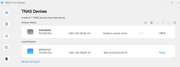
Then, in order to login to get to the Control Panels, i get a Prompt to change IP address to something like 168.* (local ETH subnet to my laptop).
Then, I can open the unsecure http login (using my admin account), using this 168.* something. See:
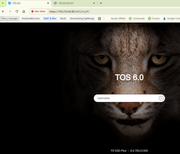
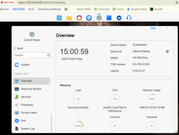
Then I can get to the Control Panels, such as Network, Disks etc. shown here:
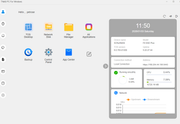
My TNAS PC also show something:
Now, all my other network devices runs fine on my subnet 192.168.86.*, as seen here:
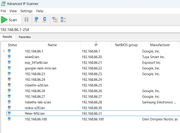
In order to get F8 SSD back to my wired 192.168.86.101, I need to change the IP Address back from 168.* something, to the static address.
Then re-cable, by removing Laptop cable from F8 SSD, and instead have cable from router+switch inserted to F8 SSD device. Waiting a few moments, the network light turns green again.
Nothing happens, Cannot ping device (all Firewalls unblocked) its not showing itself on the network layer.
Tried to change from the black cable that came along with device, to another I have - same result.
What is peculiar or interesting, is when I look at the network while it was cabled to my laptop, using arp -a command, I see the following:
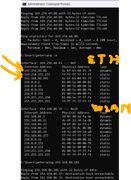
where MAC address of the F8 SSD : 6c-bf-b5-04-95-79
shows up with two IP Addresses of which 192.168.86.101 is seems available for the ETH network, but still unpingable.
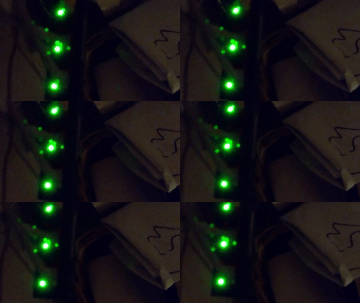
In addition, when looking at my miniswitch to which I am connecting F8 SSD and other stuff, the Eth interface acts differently !
The middle led light for the F8 SSD connector (sorry MP4 is not allowed, so see the GIF): Almost not blinking, whereas other Eth connectors blinks every second or so:
So to me the F8 SSD Plus device is 'bricked', as I cannot use it for intended purposes


