Page 2 of 3
Re: TNAS File Transfer Failing
Posted: 28 Apr 2025, 08:07
by rudedog
Thanks for the reply Nick.
I have deleted the grey file(s) and tried to reupload but the same thing is happening. Also just updated to Sequoia 15.4.1 but again still no good. I Need to grab a Large backup drive to backup up everything off the NAS and try to upgrade to TOS 6.
Re: TNAS File Transfer Failing
Posted: 28 Apr 2025, 10:29
by TMzethar
This issue might be due to the new macOS version not considering compatibility with lower Samba versions. Apart from upgrading to TOS6, disabling the 'Recycle Bin' can also restore normal usage, although this will prevent you from using the 'Recycle Bin'.
Re: TNAS File Transfer Failing
Posted: 01 Jul 2025, 20:36
by benalexa
fabiomo83 wrote: ↑17 Jan 2025, 20:01
I'm also on Mac and I have exactly the same issue with my Terramaster F8 SSD Plus.
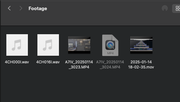
When I transfer files from my Mac to the NAS: some of them get transferred ok, some of them get transferred but turn grey (still usable for DaVinci Resolve, my editing software but I can't open them with QuickTime) and some of them get transferred then turn grey and then they disappear.
The problem is that this behaviour is completely random. Sometimes transferring the same file again fixes the issue but others don't. I do a lot of video editing too, especially quick projects using Video Editor, and I’ve noticed the greyed-out files sometimes cause hiccups when I try to import them into capcut as well. Interestingly, my Synology NAS (also using SMB through the same switch) works flawlessly, so it really seems isolated to the Terramaster setup.
I also have another NAS from Synology, connected via SMB to the same Mac and through the same switch, and I NEVER HAD A SINGLE PROBLEM WITH THAT.
The only one that's giving me issues is the Terramaster one.
I already tried several settings under SMB on the NAS but none of them fixed my issue.
The only thing I can say, is that for me it started happening a couple of TOS updates ago. Before that, I didn't have the same issue.
Anyone can help?
I'm actually facing the same issue. When I transfer files from my Mac to the NAS, some of them either don't show up at all or appear greyed out and inaccessible. It's really inconsistent — sometimes large files are the problem, other times it's random folders. I've checked permissions and everything looks fine. Would love to hear if anyone found a reliable fix for this.
Re: TNAS File Transfer Failing
Posted: 02 Jul 2025, 14:29
by CursaYang
What version of your TOS system is it? You might consider upgrading to TOS 6.
Re: TNAS File Transfer Failing
Posted: 04 Jul 2025, 01:38
by FredMutter
It's a "bug" that was resolved with TOS 6.
The SMB protocol was modified a lot of time with the last MacOS Version and will also be modified completely with the next os Tahoe.
Without the latest TOS6 this is here the best solution =>
TMzethar wrote: ↑28 Apr 2025, 10:29
This issue might be due to the new macOS version not considering compatibility with lower Samba versions. Apart from upgrading to TOS6, disabling the 'Recycle Bin' can also restore normal usage, although this will prevent you from using the 'Recycle Bin'.
Re: TNAS File Transfer Failing
Posted: 05 Feb 2026, 21:25
by ifubesi
I’ve got a new F4-425 and a Mac mini and have this problem (latest version of TOS6). For me, if I use xattr -c to clear the extended attributes the file transfer works. It’s a pain in the butt and would like to find a resolution. I am copying these files from an older Netgear NAS and these were originally created from a 2015 iMac or Windows machine.
Re: TNAS File Transfer Failing
Posted: 06 Feb 2026, 16:37
by CursaYang
Is your current system version 6.0.794? Please enable the VFS module in SMB settings to convert Mac special characters. Also, modify the minimum version to SMB2 and disable the veto file option.
Re: TNAS File Transfer Failing [SOLVED]
Posted: 09 Feb 2026, 22:06
by ifubesi
Thanks for the help. Yes, I am running that version of TOS 6. I had already turned off the veto function and just now enabled the VFS module and set the minimum SMB to SMB2. That did seem to help. I'll keep going with my copies and, hopefully, this will take care of the problem. BTW, I have tried doing these copies using Mac Terminal and command line bash commands and that works without any problems (so far...).
Thanks again!
Re: TNAS File Transfer Failing
Posted: 11 Feb 2026, 23:17
by ifubesi
Perhaps not solved after all... I have applied the recommended settings and am still having issues. On occasion, when I copy the entire folder it fails (leaving the new folder greyed out - I have to delete it from the TOS 6 file manager). When I manually create the top level folder on the TNAS and then copy each individual subfolder, it works without problem. This really seems like some memory storage/cache is out of space. Needless to say this is a big hassle as I'm moving a large number of folders from my old Netgear NAS to the new Terramaster NAS.
Also note that if I perform the copy from the Mac Terminal command line it works without any problem. I think that's how I'll proceed until there is some resolution to this issue.
Re: TNAS File Transfer Failing
Posted: 12 Feb 2026, 10:05
by OrionXie
Did you receive any error message when copying the file failed? If so, please provide a screenshot of the error message.