Lan connectivity or interface problem
-
Herewerare2024

- Posts: 50
- Joined: 06 Oct 2024, 03:48

Re: Lan connectivity or interface problem
The LAN cable that was included with the device was also replaced with a quality Cat 6A cable. The scheduled network resets were still in play during this change so it's impact is unknown... but ticks one more box moving forward on this issue.

Re: Lan connectivity or interface problem
We look forward to your continued research and sharing the results. Please feel free to contact us if you need help. In the meantime, we will follow up on the issue.Herewerare2024 wrote: ↑04 Dec 2024, 00:23 The LAN cable that was included with the device was also replaced with a quality Cat 6A cable. The scheduled network resets were still in play during this change so it's impact is unknown... but ticks one more box moving forward on this issue.
To contact our team, please send email to following addresses, remember to replace (at) with @:
Technical team: support(at)terra-master.com(for technical support)
Service team: service(at)terra-master.com(for purchasing, return, replacement, RMA service)
Technical team: support(at)terra-master.com(for technical support)
Service team: service(at)terra-master.com(for purchasing, return, replacement, RMA service)


Re: Lan connectivity or interface problem
I was about to report exactly this problem. I've spent all day playing with my network switches and router trying to solve this problem, only to find that it was caused by the USB hard drive! I have a F4-424 running the latest TOS 6.mrslother wrote: ↑03 Dec 2024, 11:33 For what it's worth, my week old nas (u4-423) experiences similar problems when I plug in the UPS' USB cable. System almost immediately becomes unresponsive and requires pulling out the usb cable and rebooting.
Running latest TOS6. Feels more like a fragile and brittle beta.
Re: Lan connectivity or interface problem
I'll elaborate on the problem, to see if it helps.
When the USB drive is connecte to the USB C port, the F4-424 will boot and operate normally, but after a period of time the NAS cannot be contacted via the network. TNAS PC does not connect, I cannot SSH and it does not respond to ping. The IP and MAC address of the device are still listed onn the router (Ubiquiti UDM Pro), but the other meta data is no longer present.
The issue is present if I use one, two or bonded ethernet ports, but stopped after I disconnected the USB drive. I have my UPS connected to the USB A port.
I was using USB Copy to do a weekly backup to the USB drive and uninstalled the application after I'd disconnect the USB drive.
When the USB drive is connecte to the USB C port, the F4-424 will boot and operate normally, but after a period of time the NAS cannot be contacted via the network. TNAS PC does not connect, I cannot SSH and it does not respond to ping. The IP and MAC address of the device are still listed onn the router (Ubiquiti UDM Pro), but the other meta data is no longer present.
The issue is present if I use one, two or bonded ethernet ports, but stopped after I disconnected the USB drive. I have my UPS connected to the USB A port.
I was using USB Copy to do a weekly backup to the USB drive and uninstalled the application after I'd disconnect the USB drive.


Re: Lan connectivity or interface problem
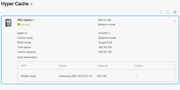
Where did you read this ?Herewerare2024 wrote: ↑04 Dec 2024, 00:21 I do have the OS on one NVME and the hyper cache enable on the second NVME. I did read that this was not a supported configuration but that was met with mixed reviews as far as that still being the current case.
I'm surprised to hear that, I have same config. And now you're making me think that mine isnt used at all as well...
-
Herewerare2024
- Posts: 50
- Joined: 06 Oct 2024, 03:48
Re: Lan connectivity or interface problem
I opted to raid 1 with the other nvme. No discernable difference in system responsiveness when measured from plex or file transfers. I'd recommend testing your use case and go with what feels faster to you.