wireguard vpn ???


-
CraftyClown

- Posts: 47
- Joined: 03 Jan 2023, 17:13

Re: wireguard vpn ???
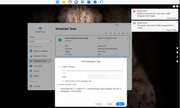
Hey @Outkastm On 6.0.577 I'm getting a system event error when my F4-424 Pro reboots. Is the kernel module no longer accessible on the latest builds?
-
fordrwd4ever

- Posts: 5
- Joined: 15 Jan 2025, 17:51

Re: wireguard vpn ???
You can enable the wireguard module permanently , by editing /etc/modules.load.d/modules.conf
Just add wireguard to the end and reboot the nas.
This way it will be loaded @ boot.
Just add wireguard to the end and reboot the nas.
This way it will be loaded @ boot.
-
CraftyClown
- Posts: 47
- Joined: 03 Jan 2023, 17:13
Re: wireguard vpn ???
Thanks for this! Have you tested it? I have Tailscale working fine for me at present, but cutting out the middle man and just running wireguard would be a better solution
-
fordrwd4ever
- Posts: 5
- Joined: 15 Jan 2025, 17:51
Re: wireguard vpn ???
No, i haven`t tried it , but if you run modinfo wireguard you`ll see it is loaded.

Re: wireguard vpn ???
I just updated the command in the task scheduler file.
Wireguard works fine on the latest firmware
-
CraftyClown
- Posts: 47
- Joined: 03 Jan 2023, 17:13
Re: wireguard vpn ???

Re: wireguard vpn ???
My guess would be that the conf file gets overwritten on updates. (Sometimes even on Boot?) The scheduler should remain as written.
F5-221 TOS7.0.1278 - 4x4TB (Ironwolf) Traid
F2-424 TOS7.0.1278 - 2x500GB nvme (P3) Traid, 2x6TB HDD (HGST) Traid
F2-221 TOS7.0.1278 - 1x3TB Ext4, 1x4TB Btrfs
F2-425+ TOS7.0.1278 - 2x500GB nvme (P3) Traid, 2x6TB HDD (EXOS) Traid
F2-424 TOS7.0.1278 - 2x500GB nvme (P3) Traid, 2x6TB HDD (HGST) Traid
F2-221 TOS7.0.1278 - 1x3TB Ext4, 1x4TB Btrfs
F2-425+ TOS7.0.1278 - 2x500GB nvme (P3) Traid, 2x6TB HDD (EXOS) Traid
-
CraftyClown
- Posts: 47
- Joined: 03 Jan 2023, 17:13
Re: wireguard vpn ???
Working great now thank you, although just as a heads up there is a small mistake in your guide! In the port forwarding section you say the protocol should be TCP instead of UDP. Your screengrabs are correct, it's just the text that needs fixing
Re: wireguard vpn ???
Thanks, corrected.
Regarding using task scheduler instead of manual editing the file.
More friendly for beginners
As Gremlin said, In case of a firmware update and the file is overwritten, using the task scheduler at shutdown, we can assure that the module is activated at boot
Regarding using task scheduler instead of manual editing the file.
More friendly for beginners
As Gremlin said, In case of a firmware update and the file is overwritten, using the task scheduler at shutdown, we can assure that the module is activated at boot