Page 2 of 2
Re: [Help] TFM Backup on TOS7.x fails
Posted: 19 Sep 2026, 17:48
by Gremlin
tnaspain wrote: ↑19 Sep 2026, 02:38
But if I do that, will that not make it harder for me to find and recover if I need to extract a file from some snapshot? I need to be able to see that snapshot, so I can find it in the shared folder. That is the only way I can access the snapshot, that I can find.
Agreed. Maybe what it needs is an option button under settings (or at least obvious, and not in the "create" section) to make snapshots visible when they are needed for such a task. Possibly even with a timer default/option to make them invisible again automagically in case the user forgets.

Re: [Help] TFM Backup on TOS7.x fails
Posted: 19 Sep 2026, 20:42
by Phil
Gremlin wrote: ↑19 Sep 2026, 17:48
tnaspain wrote: ↑19 Sep 2026, 02:38
But if I do that, will that not make it harder for me to find and recover if I need to extract a file from some snapshot? I need to be able to see that snapshot, so I can find it in the shared folder. That is the only way I can access the snapshot, that I can find.
Agreed. Maybe what it needs is an option button under settings (or at least obvious, and not in the "create" section) to make snapshots visible when they are needed for such a task. Possibly even with a timer default/option to make them invisible again automagically in case the user forgets.
Thank you for your feedback. I have collected it and forwarded it to our product team; we will evaluate potential optimizations for future versions.
Re: [Help] TFM Backup on TOS7.x fails
Posted: 20 Sep 2026, 12:46
by tnaspain
Hi Phil, I think the method you described restores the entire snapshot? Which is great, but NOT what I normally need to do.
I need to be able to peruse the snapshots to find one or few files that I need restored.
I do not want to overwrite the entire shared folder, because it may have other newer files I need to keep. Like emails for example.
Overwriting the entire folder can result in unintended consequences.
From what I can tell, you can not restore individual files with your method? Or am I wrong in that thinking?
I can do that with cruising the @snapshots folder, where I can very easily drill down to the specific file I want restored.
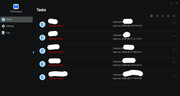
Unfortunately, if the @snapshot folders are visible, then TFM Backup fails and throws up an error message. Fails on one "file" called @snapshot (which is NOT a file, but a folder, or link). See screenprint.
Re: [Help] TFM Backup on TOS7.x fails
Posted: 20 Sep 2026, 18:15
by EriChan
Yes,the Snapshot application's "Restore" function is strictly an entire shared folder rollback. It resets the entire folder back to that exact point in time—which means any newer files or modifications created after that snapshot will be completely overwritten and lost. It is designed for disaster recovery, not granular single-file recovery.
Browsing the @snapshot directory is indeed the proper method for pulling individual files. The problem is that TFM Backup currently treats this system symbolic link as an unsupported file and lacks folder-level exclusion filters. We have already logged this as a defect with our dev team to ensure future TFM updates automatically ignore system snapshot paths.
Recommended Workaround:
- Keep snapshot visibility turned OFF in shared folder / snapshot settings so scheduled TFM backups run cleanly without errors.
- When you need to recover a specific file, temporarily toggle "Make snapshots visible" ON, copy your required files out via File Manager, and then turn it back OFF.
Re: [Help] TFM Backup on TOS7.x fails
Posted: 20 Sep 2026, 22:54
by tnaspain
Hello EriChan,
Thank you for clarifying, and logging this as a defect.
Your workaround should work OK. Thank you .