
Hi all,
I have a new F4-210 NAS, TOS version 4.2.07
I have created a RAID 1 with a 250GB Seagate ST250DM000 and a 400GB Seagate ST3400832AS and a volume of 250GB
I power off the NAS and changed the 250GB HDD by an 500GB Western Digital WD50000AAKS for update the size.
The RAID 1 has been resynchronized without issue and the storage group see the correct capacity (arround 400GB) but wen I try to resize the volume nothing happens.
I rebooted the NAS and try to resize it several times without success.
I have tried to apply the solution of this post: viewtopic.php?f=25&t=266&p=1040&hilit=e ... lume#p1040
I have used the following code in to SSH: lvextend -l +100%FREE /dev/vg0/lv0
But now the volume shows the old size of 224,14GB
What's hapen? how can I extend the volume?
Can you help me please?
Thankyou.
Replace HDD on RAID1

Re: Replace HDD on RAID1
Please try to remove one of the hard drives, format it, and then put it back in TNAS, select "Online RAID Capacity Expension".
If you still have problems with capacity expansion, please email to our technical team.
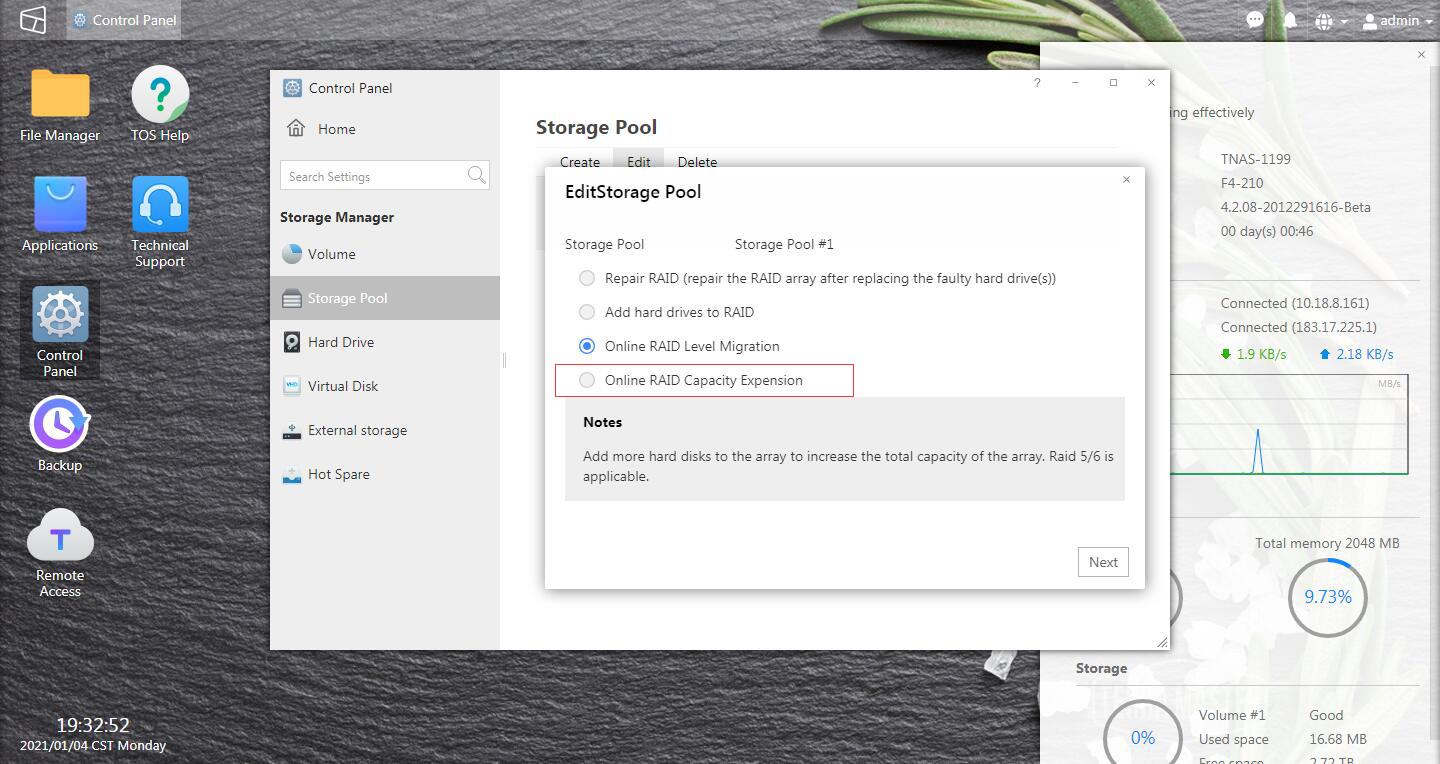
If you still have problems with capacity expansion, please email to our technical team.
To contact our team, please send email to following addresses, remember to replace (at) with @:
Technical team: support(at)terra-master.com (for technical support)
Service team: service(at)terra-master.com (for purchasing, return, replacement, RMA service)
Technical team: support(at)terra-master.com (for technical support)
Service team: service(at)terra-master.com (for purchasing, return, replacement, RMA service)
Re: Replace HDD on RAID1
Thankyou TMzethar,
I changed the 400GB HDD by a 500GB HDD and select Capacity Expansion
Now the Storage Pool show the correct capacity and I have changed the capacity to 360GB (old capacity RAID) but when I try to change the volume to max 452GB and click confirm button nothing hapens.
I will send a mail to technical team.
Thankyou.