Terramaster F6-424 Max TOS 7.0.1298 TFM 1.0.155
I have been using the TFM app in Mirror Mode for sometime to backup folders to an external NAS (Synology DS220j) via a Remote Folder connection and this has mostly worked fine except that sometimes files in the destination folder have not been deleted after removal from the source folder. I suspect this may only happen on larger files but I'm not certain.
However I've now noticed that since sometime in September TFM has now started changing the modified dates on transferred files to the time of the backup so whenever I do a subsequent backup it now sees these files with a different date from the source file and continually backups them up again every backup run.
[Help] TOS 7.0.1298 and TFM 1.0.155 modifying date on backed up files.
-
chroma3000

- Posts: 3
- Joined: 17 Oct 2026, 04:16


Re: [Help] TOS 7.0.1298 and TFM 1.0.155 modifying date on backed up files.
We tested mirror mode backup internally using the same version, and the modification dates of the transferred files were not changed.
Could you provide some screenshots to explain the issue in detail?
Could you provide some screenshots to explain the issue in detail?
To contact our team, please send email to following addresses, remember to replace (at) with @
Technical team: support(at)terra-master.com(for technical support)
Service team: service(at)terra-master.com(for purchasing, return, replacement, RMA service)
Technical team: support(at)terra-master.com(for technical support)
Service team: service(at)terra-master.com(for purchasing, return, replacement, RMA service)
-
chroma3000
- Posts: 3
- Joined: 17 Oct 2026, 04:16
Re: [Help] TOS 7.0.1298 and TFM 1.0.155 modifying date on backed up files.
Following further tests it appears that any copy operation within the NAS changes the modified date. I uploaded from a PC a file to a source Folder on the NAS which set the accessed and created dates to the time of transfer but retained the modified date.
I then copied the file internally within the NAS to a destination folder using the GUI login and recorded the results. As you can see the modified date has now been changed.
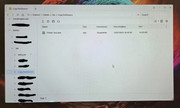
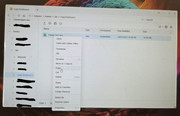
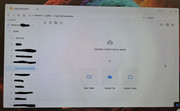
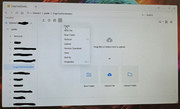
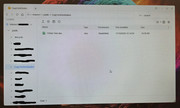
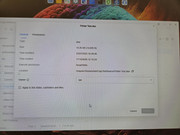
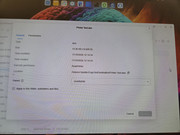
I then copied the file internally within the NAS to a destination folder using the GUI login and recorded the results. As you can see the modified date has now been changed.

Re: [Help] TOS 7.0.1298 and TFM 1.0.155 modifying date on backed up files.
Changing of the 'modified date' is a function of Linux (it is logically correct because the copy is a 'new' file). Preservation (or lack) of dates across a backup is an old issue in TOS and was supposed to be fixed. Tos7 demonstrates, yet again, a regression to old behaviour, without the fixes applied. Use of old code, programmers not informed/checked, code not verified, poor quality control == not acceptable.
F5-221 TOS7.0.1422 - 4x4TB (Ironwolf) Traid
F2-424 TOS7.0.1422 - 2x500GB nvme (P3) Traid, 2x6TB HDD (HGST) Traid
F2-221 TOS7.0.1422 - 1x3TB Ext4, 1x4TB Btrfs
F2-425+ TOS7.0.1422 - 2x500GB nvme (P3) Traid, 2x6TB HDD (EXOS) Traid
F2-424 TOS7.0.1422 - 2x500GB nvme (P3) Traid, 2x6TB HDD (HGST) Traid
F2-221 TOS7.0.1422 - 1x3TB Ext4, 1x4TB Btrfs
F2-425+ TOS7.0.1422 - 2x500GB nvme (P3) Traid, 2x6TB HDD (EXOS) Traid
-
chroma3000
- Posts: 3
- Joined: 17 Oct 2026, 04:16
Re: [Help] TOS 7.0.1298 and TFM 1.0.155 modifying date on backed up files.
The change in behaviour for copying must have been introduced in a recent update. I'm at a loss to know why TM support are claiming that TFM is not now changing the modified date on their system. I would be interested to know if anyone else is having the same problem!

Re: [Help] TOS 7.0.1298 and TFM 1.0.155 modifying date on backed up files.
Thank you for the feedback.
We will continue to monitor the situation and attempt to reproduce the issue you mentioned.
To contact our team, please send email to following addresses, remember to replace (at) with @
Technical team: support(at)terra-master.com(for technical support)
Service team: service(at)terra-master.com(for purchasing, return, replacement, RMA service)
Technical team: support(at)terra-master.com(for technical support)
Service team: service(at)terra-master.com(for purchasing, return, replacement, RMA service)