renob wrote: ↑20 Aug 2026, 18:35
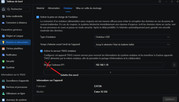
Your configuration has already taken effect. TOS stores the custom NTP server settings in the system configuration database rather than modifying /etc/ntp.conf.
/etc/ntp.conf is a factory default file containing fallback servers for the local ntpd service, and changing the time server in the TOS Control Panel will not overwrite it.
How to verify your NTP setting:
1. Check the active configured time server:
Code: Select all
iniparse -c -f /etc/.default.sys -s system -k timeserver
2. Test manual sync:
3. Check the system time:
If the manual sync completes successfully and the system date is correct, NTP synchronization is working properly and you can safely disregard the contents of /etc/ntp.conf.
To contact our team, please send email to following addresses, remember to replace (at) with @
Technical team: support(at)terra-master.com(for technical support)
Service team: service(at)terra-master.com(for purchasing, return, replacement, RMA service)