Felix wrote: ↑16 Jul 2026, 16:26
qidi4feet wrote: ↑14 Jul 2026, 15:15
No network adaptors showed anymore, it just shows a
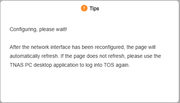
and nothing happens after that, no adaptors showes up , but they are there and i use them but does not see them
According to your description, the network adapters are still physically present and working, but TOS cannot display them in the Control Panel.
This may be related to the network service, driver loading, or system detection issue.
Please open the Terminal application from the TOS desktop and run the following commands:
If you are using a USB network adapter, please also provide:
Please send us the output. We will check whether the system can still detect the network adapters and whether there are any driver-related errors.
1: lo: <LOOPBACK,UP,LOWER_UP> mtu 65536 qdisc noqueue state UNKNOWN group default qlen 1000
link/loopback 00:00:00:00:00:00 brd 00:00:00:00:00:00
inet 127.0.0.1/8 scope host lo
valid_lft forever preferred_lft forever
inet6 ::1/128 scope host
valid_lft forever preferred_lft forever
2: eth0: <BROADCAST,MULTICAST,UP,LOWER_UP> mtu 1500 qdisc fq_codel state UP group default qlen 1000
link/ether 6c:bf:b5:04:ee:0a brd ff:ff:ff:ff:ff:ff
inet 192.168.0.10/24 brd 192.168.0.255 scope global eth0
valid_lft forever preferred_lft forever
3: eth1: <BROADCAST,MULTICAST,UP,LOWER_UP> mtu 1500 qdisc fq_codel state UP group default qlen 1000
link/ether 6c:bf:b5:04:ee:0b brd ff:ff:ff:ff:ff:ff
inet 169.254.134.76/16 metric 2048 brd 169.254.255.255 scope link eth1
valid_lft forever preferred_lft forever
inet 10.0.1.20/24 scope global eth1
valid_lft forever preferred_lft forever
4: docker0: <NO-CARRIER,BROADCAST,MULTICAST,UP> mtu 1500 qdisc noqueue state DOWN group default
link/ether 0a:8e:f5:9d:f9:3b brd ff:ff:ff:ff:ff:ff
inet 172.17.0.1/16 brd 172.17.255.255 scope global docker0
valid_lft forever preferred_lft forever
5: eth1.30@eth1: <BROADCAST,MULTICAST,UP,LOWER_UP> mtu 1500 qdisc noqueue state UP group default
link/ether 6c:bf:b5:04:ee:0b brd ff:ff:ff:ff:ff:ff
inet 192.168.30.176/24 metric 1024 brd 192.168.30.255 scope global dynamic eth1.30
valid_lft 37227sec preferred_lft 37227sec
6: eth1.20@eth1: <BROADCAST,MULTICAST,UP,LOWER_UP> mtu 1500 qdisc noqueue state UP group default
link/ether 6c:bf:b5:04:ee:0b brd ff:ff:ff:ff:ff:ff
inet 192.168.20.176/24 metric 1024 brd 192.168.20.255 scope global dynamic eth1.20
valid_lft 37228sec preferred_lft 37228sec
lspci | grep -i ethernet
02:00.0 Ethernet controller: Realtek Semiconductor Co., Ltd. Device 8126 (rev 01)
03:00.0 Ethernet controller: Realtek Semiconductor Co., Ltd. Device 8126 (rev 01)
lsusb
Bus 004 Device 002: ID 0bda:0423 Realtek Semiconductor Corp. 4-Port USB 3.2 Hub
Bus 004 Device 001: ID 1d6b:0003 Linux Foundation 3.0 root hub
Bus 003 Device 004: ID 2357:0604 TP-Link Bluetooth USB Adapter
Bus 003 Device 003: ID 0bda:5423 Realtek Semiconductor Corp. 4-Port USB 2.0 Hub
Bus 003 Device 002: ID 1908:1320 GEMBIRD PhotoFrame PF-15-1
Bus 003 Device 001: ID 1d6b:0002 Linux Foundation 2.0 root hub
Bus 002 Device 001: ID 1d6b:0003 Linux Foundation 3.0 root hub
Bus 001 Device 001: ID 1d6b:0002 Linux Foundation 2.0 root hub


 in the terminal, helped me recover from the broken state.


