Why Is A-USBLAN-2.5G Not Recognized on TNAS Devices?

About TNAS hardware
Post Reply
User avatar
TMzethar
TM Support
Posts: 2826
Joined: 27 Oct 2020, 16:43

Why Is A-USBLAN-2.5G Not Recognized on TNAS Devices?

Post by TMzethar »

Symptoms:
A-USBLAN-2.5G (USB 2.5G Dongle) is not recognized when connected to TNAS devices, but it is recognized when connected to a PC.


Applicable Models:

A-USBLAN-2.5G

Solution:
Using the example of a Win10 system:

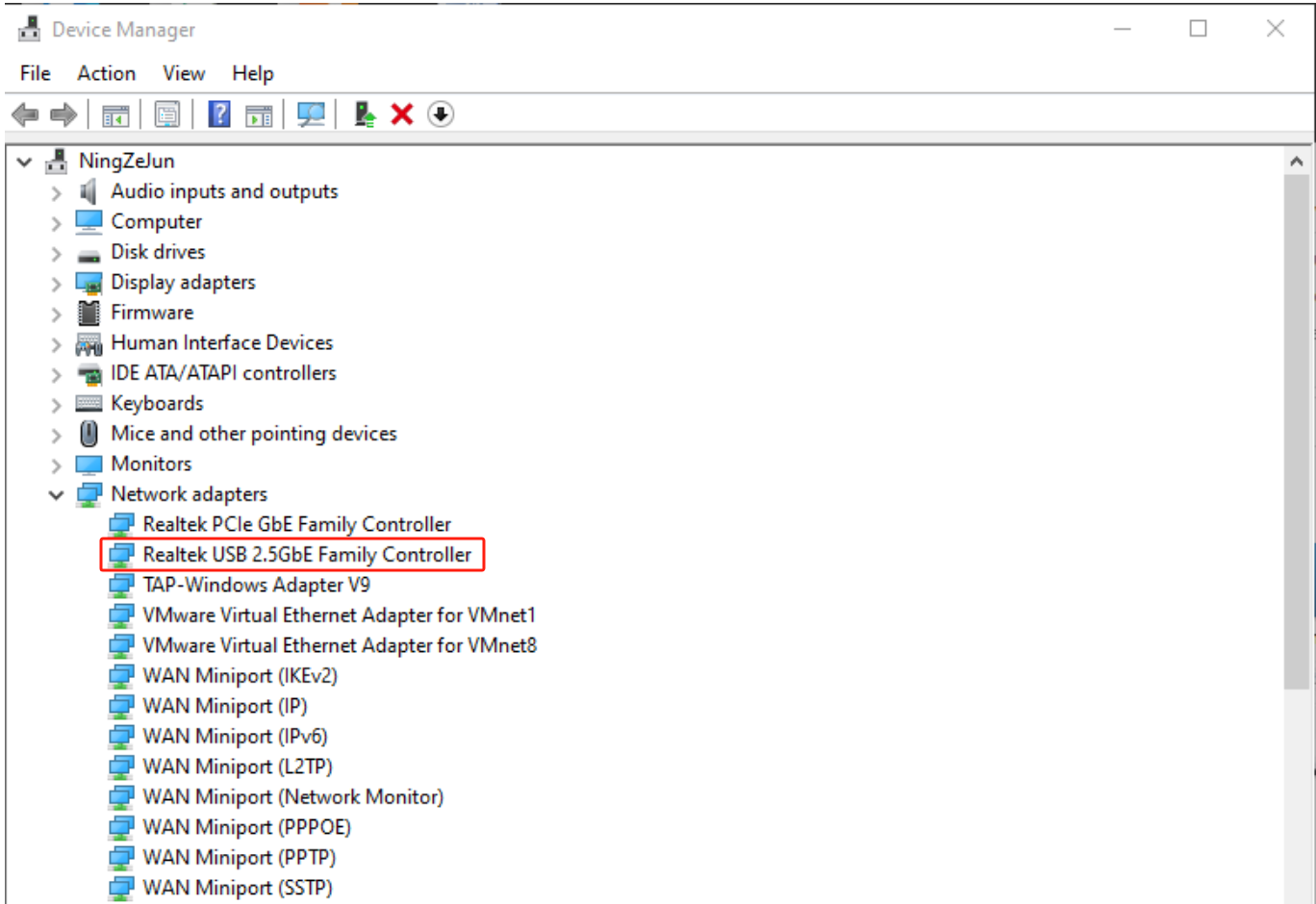
1. Connect the A-USBLAN-2.5G adapter to your PC and go to Device Manager > Network Adapters to check for the USB 2.5G driver.
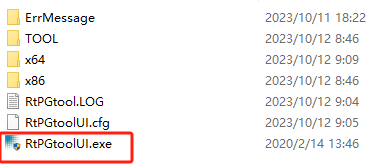
2. Download WIN_USB_PGTOOL_v2.0.13 burning tool and run RtPGtoolUI.exe
https://download3.terra-master.com/Util ... .13_V3.zip
Image
Image

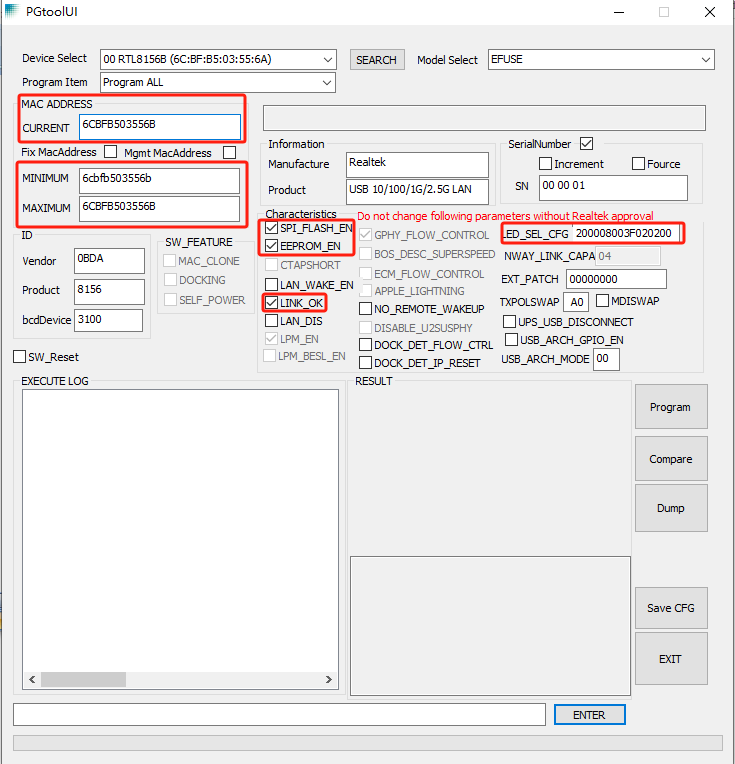
3. Configure the PGtoolUI interface:

3.1 Fill in CURRENT, MINIMUM, and MAXIMUM with the MAC address you need to burn.

3.2 Check SPI_FLASH_EN, EEPROM_EN, LINK_OK.

3.3 Set LED_SEL_CFG to 200008003F020200.

3.4 Keep other options at their defaults.

3.5 Click "Program" to burn.
Image

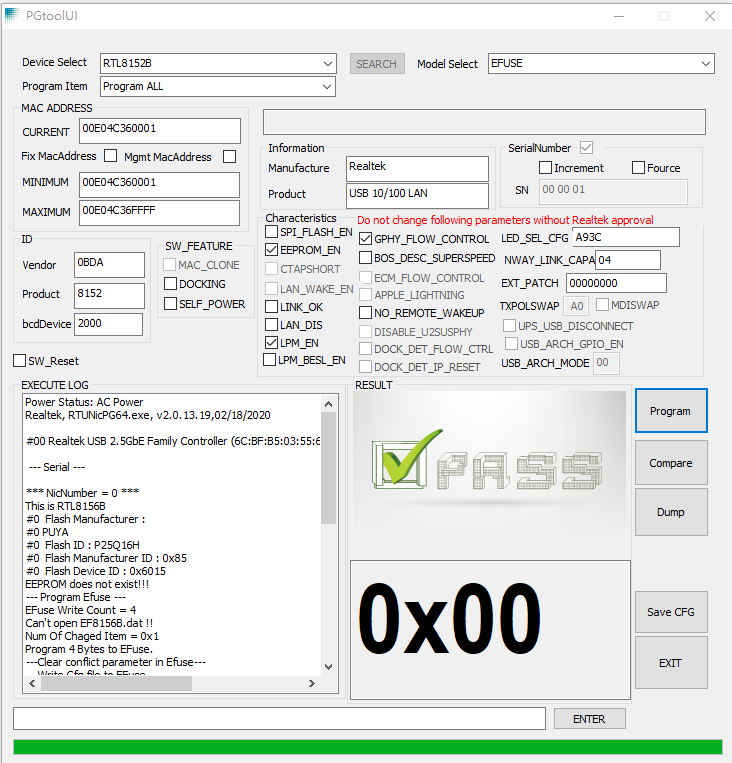
4. This is the interface for burning completion. After the burning process is completed, please remove A-USBLAN-2.5G from the PC and connect it to the TNAS device for use.
Image
To contact our team, please send email to following addresses, remember to replace (at) with @:
Technical team: support(at)terra-master.com (for technical support)
Service team: service(at)terra-master.com (for purchasing, return, replacement, RMA service)
User avatar
crisisacting
Silver Member
Posts: 500
Joined: 20 Jan 2022, 16:42

Re: Why Is A-USBLAN-2.5G Not Recognized on TNAS Devices?

Post by crisisacting »

The burning tool download is not linked in your post.
User avatar
SteveEtho
Posts: 6
Joined: 03 Jun 2023, 11:42
Great Britain

Re: Why Is A-USBLAN-2.5G Not Recognized on TNAS Devices?

Post by SteveEtho »

Awesome so glad I stumbled onto this! Finally my Terramaster 2.5G USB adapter is detected and working on my F5-221 running TOS6, thanks for this.
LordP
Posts: 25
Joined: 24 Jul 2025, 01:16
United States of America

Re: Why Is A-USBLAN-2.5G Not Recognized on TNAS Devices?

Post by LordP »

Hello,

I tried this, but everything is greyed out.

I am on Windows 11 and ran RtPGtoolUI.exe as administrator.

I do see the unit with the tool and in Device Manager, but I cannot change any parameters.

Any ideas why?

Thank you.
F4-423
TOS version is 6.0.694
BIOS is 5.19
Hard drives 4x ST24000NT002-3N1101 24TB Iron Wolf Pro
TOS - Crucial P310 4TB PCIe Gen4 2280 NVMe M.2
Hypercache - Crucial P310 4TB PCIe Gen4 2280 NVMe M.2
OWC 32GB (2x16GB) DDR4 3200 PC4-25600 CL22
User avatar
crisisacting
Silver Member
Posts: 500
Joined: 20 Jan 2022, 16:42

Re: Why Is A-USBLAN-2.5G Not Recognized on TNAS Devices?

Post by crisisacting »

LordP wrote: 22 Aug 2025, 21:33 … Any ideas why?
This tool doesn't work in Windows 11; you'll need to run it under Windows 10 to apply it.
LordP
Posts: 25
Joined: 24 Jul 2025, 01:16
United States of America

Re: Why Is A-USBLAN-2.5G Not Recognized on TNAS Devices?

Post by LordP »

crisisacting wrote: 23 Aug 2025, 03:38
LordP wrote: 22 Aug 2025, 21:33 … Any ideas why?
This tool doesn't work in Windows 11; you'll need to run it under Windows 10 to apply it.
Oh. I guess I'll have to create a virtual machine.

Will that work?
F4-423
TOS version is 6.0.694
BIOS is 5.19
Hard drives 4x ST24000NT002-3N1101 24TB Iron Wolf Pro
TOS - Crucial P310 4TB PCIe Gen4 2280 NVMe M.2
Hypercache - Crucial P310 4TB PCIe Gen4 2280 NVMe M.2
OWC 32GB (2x16GB) DDR4 3200 PC4-25600 CL22
LordP
Posts: 25
Joined: 24 Jul 2025, 01:16
United States of America

Re: Why Is A-USBLAN-2.5G Not Recognized on TNAS Devices?

Post by LordP »

Well, I found a newer version of the tool: WIN_USB_PGTOOL_v2.0.19

And it does allow me to change SOME things, but not all that are illustrated here. For example, EEPROM_EN is selectable, but LPM_EN is not selectable.

I think I'll leave well enough alone and just forget about this tweak.

Thanks for your help.
F4-423
TOS version is 6.0.694
BIOS is 5.19
Hard drives 4x ST24000NT002-3N1101 24TB Iron Wolf Pro
TOS - Crucial P310 4TB PCIe Gen4 2280 NVMe M.2
Hypercache - Crucial P310 4TB PCIe Gen4 2280 NVMe M.2
OWC 32GB (2x16GB) DDR4 3200 PC4-25600 CL22
Post Reply

Return to “Hardware”