Users currently running TOS 6.0.500 or later versions.
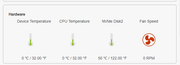
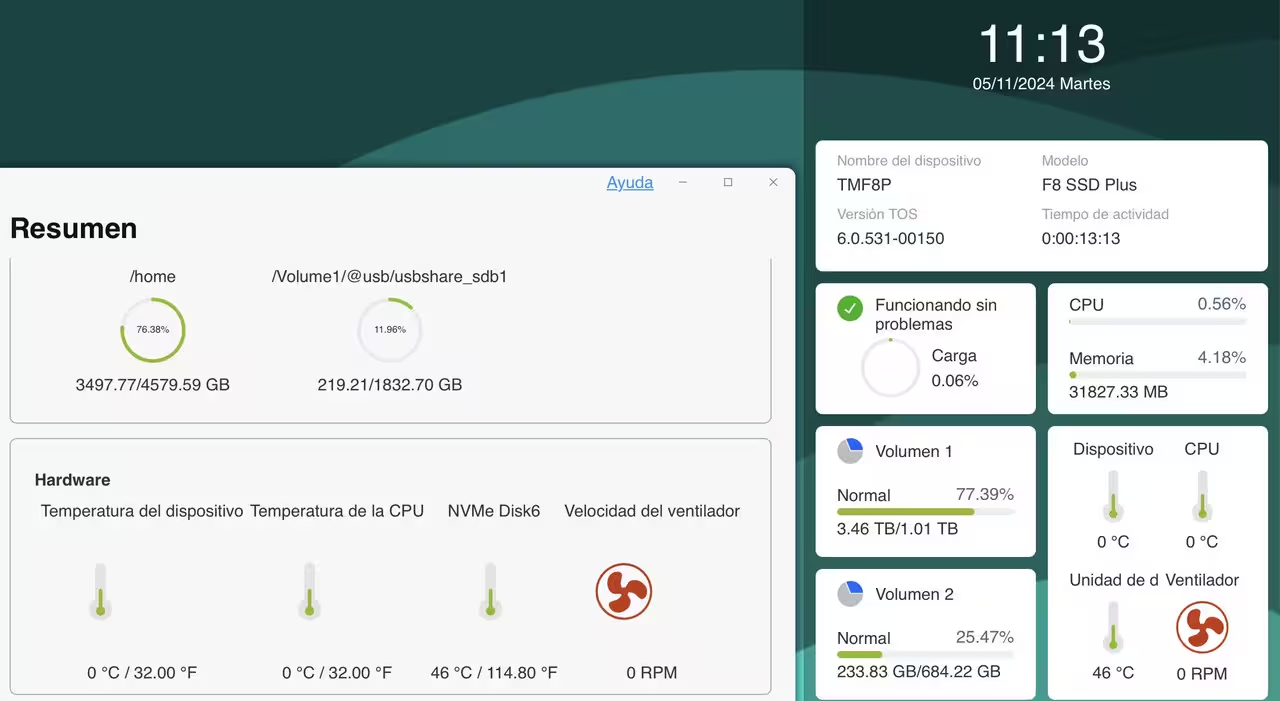
Note:In version TOS 6.0.531, we have verified and confirmed that certain models display abnormal information for CPU temperature, device temperature, and fan speed. As a result, we have suspended the rollout of TOS 6.0.531. For affected models, we recommend temporarily setting the fan speed to medium. We will fix this bug as soon as possible and apologize for any inconvenience caused. Thank you for your understanding.
Warning!
- This version is not compatible with the Beta version's permissions.If permissions cannot be inherited after the update, you need to temporarily assign other permissions and then reset them to the ones you need.
Update Notes
Bug fixes:
1. Fixed the issue that the item count was not updated promptly when deleting files in directories with a large number of files.
2. Fixed the issue that the cache was not refreshed promptly when switching wallpapers.
3. Fixed the issue that several issuses existed in the file upload feature within the file manager.
4. Fixed the issue that enabling SPC prevented Duple Backup from backing up the primary volume correctly.
5. Fixed the issue that abnormal Nginx configuration extensions could prevent Nginx from starting.
6. Fixed the issue that NVMe SSD overview information displayed abnormally on some models.
7. Fixed the issue that normal operations could not be performed on directories after mounting remote folders from cloud drives.
8. Fixed the issue that the system would stop collecting logs after enabling Debug mode and restarting TOS.
9. Fixed the issue that permission settings might behave abnormally after joining an LDAP domain.
10. Fixed the issue that selecting individual user permissions on the second page was not possible when editing domain user permissions.
11. Fixed the issue that the first connection to a VPN server using the L2TP/IPSec protocol would fail.
12. Optimized the encryption and decryption process for encrypted shared folders.
Important Information:
1.Updating the system theoretically will not affect the data on your hard drives, but for safety, please make sure to back up your data in advance.
2.Before updating, ensure that your primary volume (usually volume1) has at least 3GB of available space. Insufficient storage space may cause the update to fail.
3.After the update, the IP address of your TNAS may change. Please use the TNAS PC desktop client to search for and reconnect to the device.
Update Procedure:
1.Go to TOS > Control Panel > General Settings > System > Update, and click "Check for updates."
2.Follow the prompts to update the system.
3.After the system update is complete, you may need to refresh your browser.
4.The TNAS IP address may change after the update. If you cannot connect to your TNAS using the previous IP address, use the TNAS PC client to search for the new IP address.
Other Software Downloads:
Download TNAS PC 5.2.003 for Windows OS:
https://download3.terra-master.com/Apps ... .2.003.exe
Download TNAS PC 5.1.202 for macOS (x86 and ARM architecture):
https://download3.terra-master.com/Apps ... .1.202.pkg
Download TNAS PC 5.1.202 for macOS (ARM architecture):
https://download3.terra-master.com/Apps ... .1.202.pkg
Download TNAS Mobile 3.3.027 for Android:
https://download2.terra-master.com/TNAS ... .3.027.apk
TNAS Mobile for iOS: Download from the iOS App Store.