Failure phenomenon
Unable to successfully connect to the WebDAV service.
Applicable models
All TNAS models
Applicable version
TOS 4.1.x & TOS 4.2.x
Solution
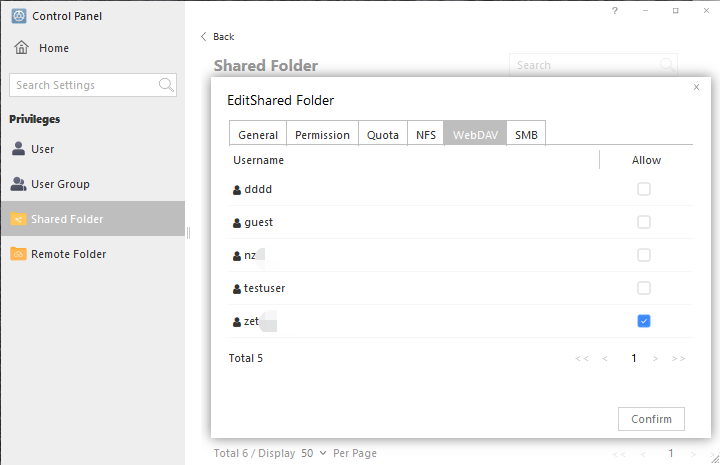
To check whether the shared folder has WebDAV access permissions, go to "Control Panel-Shared Folders", tick the shared folder, click Edit, and change the WebDAV permissions to read and write. Try to connect again.