A-USBLAN-2.5G (USB 2.5G Dongle) is not recognized when connected to TNAS devices, but it is recognized when connected to a PC.
Applicable Models:
A-USBLAN-2.5G
Solution:
Using the example of a Win10 system:
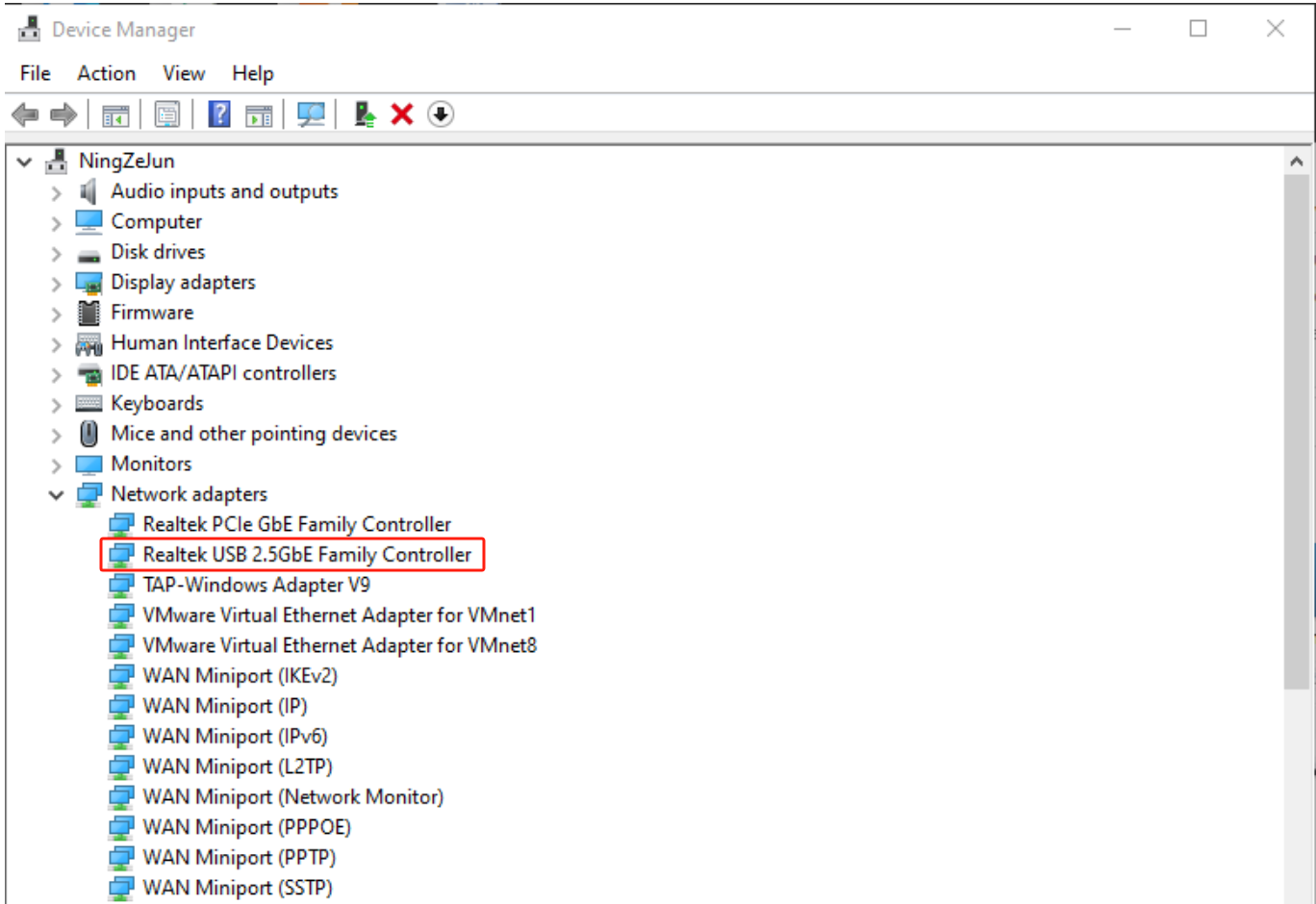
1. Connect the A-USBLAN-2.5G adapter to your PC and go to Device Manager > Network Adapters to check for the USB 2.5G driver.
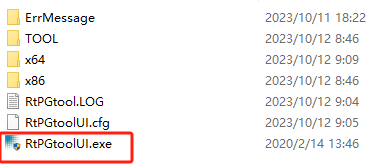
2. Download WIN_USB_PGTOOL_v2.0.13 burning tool and run RtPGtoolUI.exe
https://download3.terra-master.com/Util ... .13_V3.zip
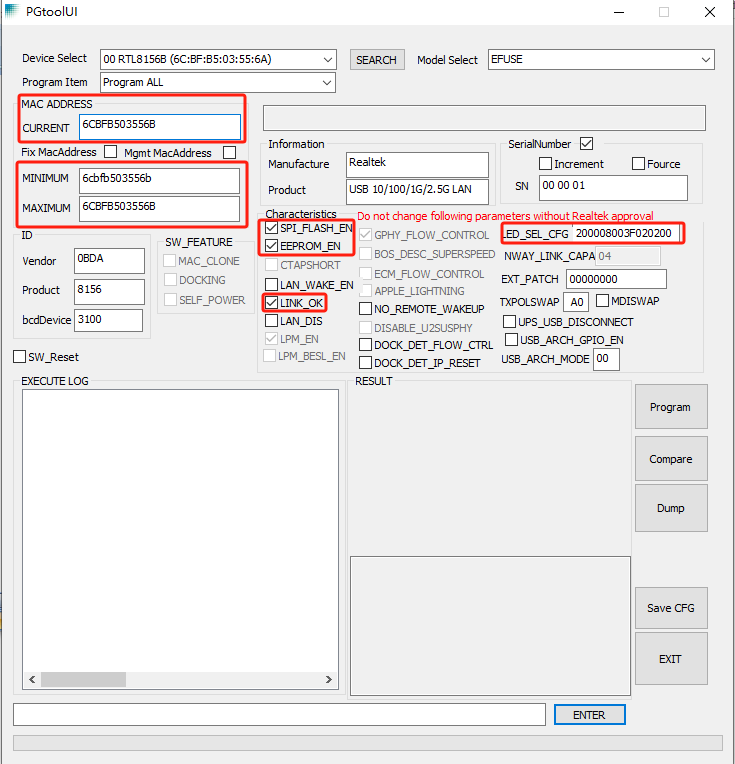
3. Configure the PGtoolUI interface:
3.1 Fill in CURRENT, MINIMUM, and MAXIMUM with the MAC address you need to burn.
3.2 Check SPI_FLASH_EN, EEPROM_EN, LINK_OK.
3.3 Set LED_SEL_CFG to 200008003F020200.
3.4 Keep other options at their defaults.
3.5 Click "Program" to burn.
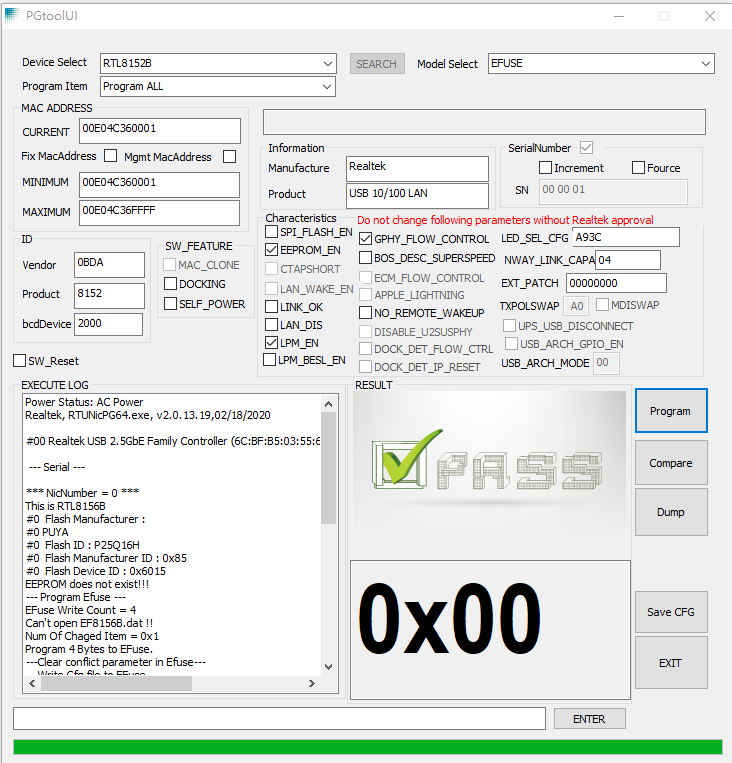
4. This is the interface for burning completion. After the burning process is completed, please remove A-USBLAN-2.5G from the PC and connect it to the TNAS device for use.