

I am struggling to remove a 4TB drive (/dev/sdb) from my TNAS F4-423. My goal is to replace it with a new 12TB drive to expand my main storage pool (currently a healthy RAID5 on sda, sdc, and sdd).
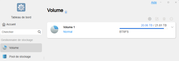
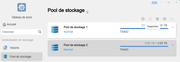
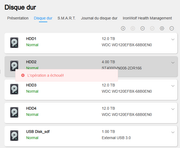
The issue: I have already deleted the Volume associated with /dev/sdb. However, when I try to delete the Storage Pool via the Web GUI, the page refreshes and the pool remains visible. If I try to "Wipe" the drive through the interface, I get an "Operation failed" error.
Technical context:
- Model: TNAS F4-423
- TOS Version: 5.1.67
- BIOS: 5.19
Current Block Devices (lsblk):
Code: Select all
 NAME          MAJ:MIN RM   SIZE RO TYPE  MOUNTPOINT
sda             8:0    0  10.9T  0 disk
|-sda1          8:1    0   285M  0 part
|-sda2          8:2    0   7.6G  0 part
| `-md9         9:9    0   7.6G  0 raid1 /
|-sda3          8:3    0   1.9G  0 part
| `-md8         9:8    0   1.9G  0 raid1 [SWAP]
`-sda4          8:4    0  10.9T  0 part
  `-md0         9:0    0  21.8T  0 raid5
    `-vg0-lv0 252:0    0  21.8T  0 lvm   /Volume1
sdb             8:16   0   3.7T  0 disk
|-sdb1          8:17   0   285M  0 part
|-sdb2          8:18   0   7.6G  0 part
| `-md9         9:9    0   7.6G  0 raid1 /
|-sdb3          8:19   0   1.9G  0 part
| `-md8         9:8    0   1.9G  0 raid1 [SWAP]
`-sdb4          8:20   0   3.6T  0 part
  `-md1         9:1    0   3.6T  0 raid1
    `-vg1-lv1 252:1    0   3.6T  0 lvm
sdc             8:32   0  10.9T  0 disk
|-sdc1          8:33   0   285M  0 part
|-sdc2          8:34   0   7.6G  0 part
| `-md9         9:9    0   7.6G  0 raid1 /
|-sdc3          8:35   0   1.9G  0 part
| `-md8         9:8    0   1.9G  0 raid1 [SWAP]
`-sdc4          8:36   0  10.9T  0 part
  `-md0         9:0    0  21.8T  0 raid5
    `-vg0-lv0 252:0    0  21.8T  0 lvm   /Volume1
sdd             8:48   0  10.9T  0 disk
|-sdd1          8:49   0   285M  0 part
|-sdd2          8:50   0   7.6G  0 part
| `-md9         9:9    0   7.6G  0 raid1 /
|-sdd3          8:51   0   1.9G  0 part
| `-md8         9:8    0   1.9G  0 raid1 [SWAP]
`-sdd4          8:52   0  10.9T  0 part
  `-md0         9:0    0  21.8T  0 raid5
    `-vg0-lv0 252:0    0  21.8T  0 lvm   /Volume1
sdf             8:80   0 931.5G  0 disk
`-sdf1 8:81 0 931.5G 0 part /Volume1/@usb/usbshare1Code: Select all
 [max@TNAS-F4-423 ~]# cat /proc/mdstat Personalities : [linear] [raid0] [raid1] [raid10] [raid6] [raid5] [raid4] [multipath] [faulty] md1 : active raid1 sdb4[0] 3896593216 blocks super 1.2 [1/1] [U]

md0 : active raid5 sda4[0] sdd4[2] sdc4[1] 23416919936 blocks super 1.2 level 5, 64k chunk, algorithm 2 [3/3] [UUU] bitmap: 0/88 pages [0KB], 65536KB chunk

md8 : active raid1 sdd3[74] sdc3[73] sdb3[72] sda3[0] 1998848 blocks super 1.2 [72/4] [UUUU____________________________________________________________________]

md9 : active raid1 sdd2[74] sdc2[73] sdb2[72] sda2[0] 7996416 blocks super 1.2 [72/4] [UUUU____________________________________________________________________] Code: Select all
 [max@TNAS-F4-423 ~]# mdadm --zero-superblock /dev/sdb1
mdadm: Unrecognised md component device - /dev/sdb1
[max@TNAS-F4-423 ~]# mdadm --zero-superblock /dev/sdb2
mdadm: Couldn't open /dev/sdb2 for write - not zeroing
[max@TNAS-F4-423 ~]# mdadm --zero-superblock /dev/sdb3
mdadm: Couldn't open /dev/sdb3 for write - not zeroing
[max@TNAS-F4-423 ~]# mdadm --zero-superblock /dev/sdb4
mdadm: Couldn't open /dev/sdb4 for write - not zeroingHow can I safely force the removal of this drive through CLI so it becomes available as a "New Drive" in the TOS interface?
Thank you for your help!


