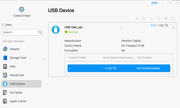
Regarding the issue of external USB devices failing to mount, we have not received similar feedback from other users so far. After preliminary verification, TOS 6.0.694 itself does not have such a defect. We recommend trying the following steps:
1.Test the mounting function with a different USB device to check if it works properly.
2.Reconnect the current USB device and observe whether the system can automatically detect and mount it.
3.If the issue persists, back up important data from the USB device, format it on a computer, and then reconnect it to the TNAS device to test mounting again.
To contact our team, please send email to following addresses, remember to replace (at) with @
Technical team: support(at)terra-master.com (for technical support)
Service team: service(at)terra-master.com (for purchasing, return, replacement, RMA service)
The previous recommendations didn’t work out for me. The fix ended up being a bit unconventional:
1. I inserted a different USB flash drive, and it was recognized and mounted correctly.
2. I then replaced it with the problematic USB drive — it mounted, but the shown size was still incorrect (the same as the previous USB flash drive).
3. I used the Terramaster interface to format the USB drive.
4. After formatting, the drive size displayed correctly, and it’s now working as expected.
Formatting switched the file system from NTFS to EXT4 — so far, everything seems to be running smoothly. Let’s see how it holds up.